How to See Apple Music Replay: Your 2026 Listening Stats Guide
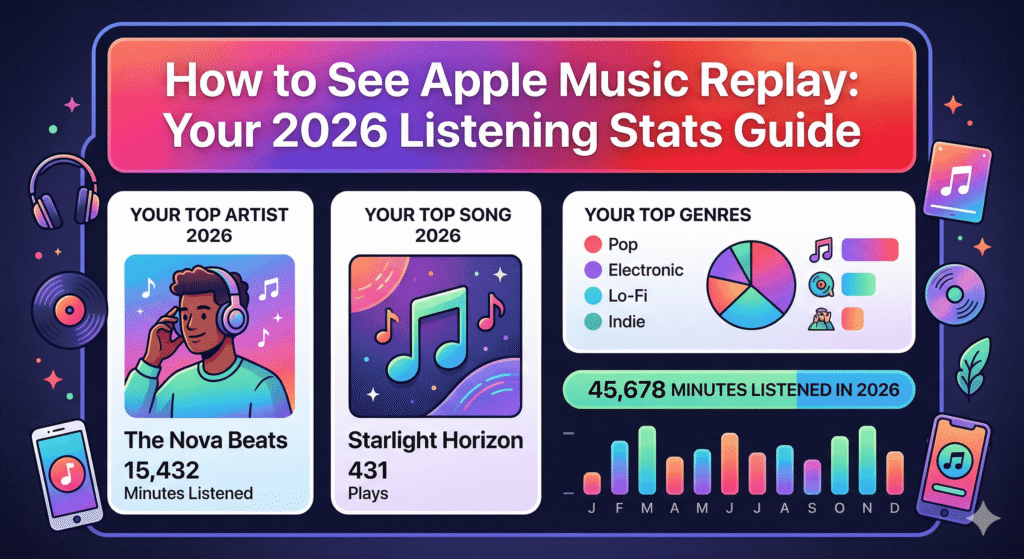
This guide explains what Apple Music Replay is, how it works, and step-by-step instructions to view your personalized 2026 listening stats across devices. It covers eligibility, troubleshooting common issues, what stats you’ll see, and how Replay differs from similar features, helping U.S. Apple Music subscribers quickly find and enjoy their year in music. Introduction You open the Apple Music app, scroll through the Home tab, and there it is—your Replay section with a snapshot of the songs and artists that soundtracked your year so far. Apple Music Replay gives subscribers a clear, evolving look at their listening habits without waiting until December for a single recap. Whether you want your top 100 songs of 2026, monthly breakdowns, or the full year-end summary with total minutes listened, the feature lives in the app and on the web. Here’s how to find it, what it shows, and what to do if it doesn’t appear right away. What Is Apple Music Replay? Apple Music Replay is the service’s personalized listening recap. It tracks your streams using play count and time spent listening to calculate rankings for songs, artists, albums, playlists, genres, and stations. Unlike a one-time end-of-year summary, Replay updates throughout the year. You can check monthly insights as early as February for the prior month’s data, and the main playlist refreshes weekly once active. At year-end, it delivers a complete overview plus a shareable highlight reel. The feature requires an active Apple Music subscription and enough listening activity. Apple calculates stats from your listening history across devices where “Use Listening History” is enabled. How Apple Music Replay Works Replay pulls data from two main factors: It ranks your most-played content and surfaces additional insights such as: You’ll also see total minutes listened, number of artists streamed, favorite genres, and milestones. The year-end version includes a visual and audio highlight reel you can share on social media. Monthly Replays appear toward the end of each month or shortly after, while the full annual Replay typically rolls out in early February for the previous calendar year’s complete data (with ongoing weekly playlist updates). Step-by-Step: How to See Apple Music Replay on iPhone or iPad If you’ve already added the Replay playlist to your library, it will update automatically each week. For the most detailed stats, including new categories like Discovery and Loyalty, use the in-app experience when available. Make sure your device runs the latest iOS or iPadOS for the best results. How to Access Apple Music Replay on Mac Open the Apple Music app on your Mac and go to the Home tab (or Listen Now in some views). Scroll to find the Replay section. The interface mirrors the iPhone version, showing your top songs, artists, and the playlist. For fuller stats on Mac, many users prefer the web version (see below), as it provides a clean dashboard view. How to View Apple Music Replay on the Web (Best for All Devices) The most reliable way to access complete stats works on any browser, including on iPhone, iPad, Android, Mac, or PC: You’ll see your current Replay dashboard, top songs, artists, albums, genres, listening time, and more. Scroll down for the personalized playlist and an option to open it directly in the Apple Music app. This method works well if the in-app card hasn’t appeared yet or if you want to view from a computer. How to See Apple Music Replay on Android Open the Apple Music app on your Android device: Alternatively, use the web method above in any mobile browser. Ensure the app is updated and “Use Listening History” is turned on in app settings. What to Do If You Don’t See Apple Music Replay Many users encounter delays or missing sections. Common fixes include: If the section still doesn’t show after sufficient listening and proper settings, contact Apple Support. Some users report occasional syncing delays between devices. What Stats and Features You’ll Find in Apple Music Replay 2026 Once inside, expect: The playlist itself lets you relive your top tracks directly. Many subscribers add it early and watch it evolve as their habits shift. Apple Music Replay vs. Spotify Wrapped Apple Music Replay stands out because it runs year-round with monthly and weekly updates instead of a single December drop. You can track progress in real time rather than waiting for a surprise recap. Spotify Wrapped often emphasizes fun, shareable visuals and global trends. Apple focuses more on personal listening depth—exact play counts, time spent, and evolving categories like artist loyalty. Both deliver value; Replay simply integrates more continuously into the listening experience. Tips to Make the Most of Your Replay If you notice discrepancies in play counts for certain albums or songs, it can stem from how Apple weights time spent versus raw plays or occasional syncing lags—common points raised in Apple Community discussions. Conclusion Apple Music Replay turns your listening history into an insightful, evolving story of your year in music. Whether you check it monthly for quick insights or dive into the full 2026 recap for deeper stats, it’s one of the simplest ways to reflect on what you loved most. Head to the Home tab in the Apple Music app or visit replay.music.apple.com to see yours today. How to see Apple Music Replay is straightforward once you know where to look—and the earlier you check, the more you can enjoy watching your favorites rise through the ranks. FAQ How often does Apple Music Replay update? The main playlist updates weekly once active. Monthly Replays appear toward the end of each month or shortly after, and the full year-end summary rolls out in early February with ongoing updates. Is Apple Music Replay available without a subscription? No. You need an active Apple Music subscription and sufficient listening activity for stats to generate. Can I see Replay from previous years? Yes, the web version and in-app “Go back in time” option usually let you view past years’ data if it was tracked. Why isn’t my top album
The Psychology Behind Personalized Virtual Rooms: Why Custom Digital Spaces Feel So Personal

Introduction Personalized virtual rooms feel personal because they connect human psychology with digital design in a way that makes users feel comfortable, understood, and emotionally involved.When people customize a virtual room, they are not just choosing colors or objects; they are shaping a digital space that reflects their identity, preferences, and emotions. This is why digital personalization plays such a strong role in virtual environment psychology and user behavior. Understanding the Psychology of Personalized Virtual Rooms The psychology of personalized virtual rooms helps explain why people feel emotionally attached to digital spaces they design themselves.When users shape a virtual environment based on their own choices, the mind begins to treat that space as familiar and safe, which strengthens emotional response and mental comfort. Sense of Control and Mental Comfort Having control over a personalized virtual room gives users a strong sense of control that directly affects their mental comfort. When people decide how their virtual space looks and feels, their brain feels more relaxed and confident. My teacher once said, “When you choose, your brain feels calm,” and this idea fits perfectly with how user psychology works in personalized digital spaces. Emotional Attachment to Digital Spaces Emotional attachment grows when a virtual room matches a user’s feelings and personality. Over time, personalized virtual rooms become digital comfort zones where users feel relaxed and emotionally balanced. This attachment explains why people return to the same virtual environments again and again. Virtual Room Customization as a Form of Self-Expression Virtual room customization is a modern way for people to express themselves in digital environments.Just like decorating a real room, customizing a virtual space allows users to show who they are without using words. Personal Identity and Virtual Identity Personal identity connects deeply with virtual identity when users design their own digital spaces. The colors, layouts, and themes people choose reflect their mood, personality, and preferences. In class, we learned that “choices tell stories,” and virtual rooms tell the story of the user through design. Sense of Ownership Through Customization Customization creates a sense of ownership that makes virtual rooms feel meaningful. When users build something themselves, they care more about it and stay engaged longer. This is why personalized digital spaces often feel more important than generic virtual environments. How Personalized Virtual Rooms Enhance User Experience Personalized virtual rooms improve user experience by focusing on user-centered virtual design.When a virtual space feels familiar and easy to use, users enjoy spending time there. Cognitive Engagement and Attention Span Personalized virtual environments increase cognitive engagement because the brain pays more attention to things that feel relevant and familiar. When users recognize their own preferences in a virtual room, their attention span improves, and the experience feels more immersive and enjoyable. Interaction Design and Usability Good interaction design and usability make virtual rooms easy to navigate and understand. When controls feel simple and natural, users can focus on enjoying the space instead of figuring out how it works. This positive user perception strengthens the overall user experience. Emotional and Social Connections in Virtual Spaces Virtual spaces are not only personal; they also support emotional and social connections.Personalized virtual rooms help users feel connected even when they are online. Social Presence and Belonging When users personalize their virtual living spaces, they feel a stronger sense of social presence and belonging. Even on online platforms, customized environments help people feel like they truly belong somewhere, which is important for emotional well-being. Motivation and Habit Formation Personalized digital spaces increase motivation because users enjoy returning to environments that feel comfortable. This comfort supports habit formation, as users naturally revisit spaces that make them feel relaxed and happy. Role of Virtual Reality and Metaverse in Personalization Virtual reality personalization and metaverse room design are making digital spaces more immersive than ever.These technologies allow users to experience virtual rooms in ways that feel almost real. Immersive Technology and 3D Environments Immersive technology and 3D environments improve spatial awareness and emotional connection. When users move inside a virtual room, the brain processes it like a real space, which strengthens engagement and emotional response. Digital Avatars and Online Platforms Digital avatars add another layer of personalization to virtual rooms. When avatars match a user’s personality and virtual environment, the experience becomes more meaningful. This is why many online platforms focus on avatar-based personalization. Psychological Benefits of Personalized Virtual Rooms Personalized virtual rooms offer psychological benefits that go beyond visual design.These environments can positively influence mental well-being and emotional balance. Emotional Satisfaction and Mental Well-Being When a virtual room reflects a user’s emotional needs, it brings emotional satisfaction and calmness. Personalized spaces can reduce stress and help users feel more at ease. My teacher says, “Happy spaces help calm minds,” and this applies to digital environments too. User Engagement and Behavior Personalization guides user behavior in a positive way. When users feel connected to a virtual space, user engagement increases naturally, leading to longer interaction and stronger loyalty. Potential Downsides and Ethical Considerations While personalized virtual rooms have many benefits, they also come with challenges.Understanding these risks helps create balanced and responsible digital experiences. Over-Personalization and Digital Dependency Too much personalization can sometimes lead to digital dependency. If users spend excessive time in virtual environments, it may reduce real-world interaction and affect attention span. Balance is important for healthy usage. Privacy and Ethical Design Personalization often uses user data, which makes privacy and ethical design very important. When platforms are transparent and respectful of user choices, trust grows and personalization becomes safer. Future of Personalized Virtual Rooms and Human Psychology The future of personalized virtual rooms is closely linked to human-computer interaction.As technology grows, digital spaces are becoming more human-focused. AI-Driven Customization and Digital Identity AI-driven customization can help virtual rooms adapt to user preferences over time. When systems understand user behavior, digital identity becomes stronger and more personal. Long-Term Psychological Impact In the long term, personalized virtual environments may shape how people think, feel, and interact online. With responsible design, these
Top 5 Features That Make Madeonverse Stand Out

1. Introduction Madeonverse stands out because it doesn’t feel like a normal digital platform. Instead of giving you plain content, it gives you a full interactive universe. The visuals, music, and your own actions come together to create a fresh, creative, and addictive experience that feels completely different from regular apps or websites. Today, people seek unique digital experiences because they no longer want to use basic apps. Users want something that keeps them engaged, entertains them, and makes them feel like they are stepping into a new world. Online audiences don’t enjoy the simple “scroll and exit” routine now. They seek immersive content, interactive features, and robust online communities where they can express their identity. That’s why people prefer digital platforms that offer creative freedom, interactive tools, and a personalized journey that feels special to them. Feature #1: Immersive Virtual Environment Madeonverse AI features stand out with its immersive virtual environment, offering users a fully interactive 3D digital world. Every element, from visuals to animations, is designed to feel smooth and realistic, giving users the sensation of moving through a real-world space. Navigation is seamless, and transitions between different sections blend perfectly, making the overall experience highly engaging and visually satisfying. Unlike standard digital platforms that simply display content, Madeonverse provides a complete, interactive experience that keeps users immersed for longer periods. User Benefits of the Immersive Virtual World This advanced virtual environment encourages users to spend more time exploring the platform naturally. Realistic interactions and smooth navigation make the experience enjoyable, allowing users to fully engage with content, interactive tools, and visual elements. By offering this high-quality, interactive experience, Madeonverse enhances user satisfaction and promotes repeat visits. Users return because the platform delivers an addictive and visually rich digital journey, making every session engaging and memorable. Feature #2: Strong Community Ecosystem madeonverse come fosters a strong and active community ecosystem, where creators, fans, and users participate together. The platform encourages collaboration, engagement, and interaction through built-in messaging and feedback tools. This creates a culture of active involvement, where users can share ideas, support creators, and contribute to the community’s growth. User Benefit A strong community ecosystem keeps users engaged and connected. Users can easily communicate with creators and other members, collaborate on projects, and provide feedback. This sense of belonging and active participation enhances user satisfaction, encourages continuous interaction, and helps grow a vibrant digital network within the platform. Feature #3: Advanced Personalization Options Madeonverse offers advanced personalization options that let users tailor their experience to their preferences. Users can customize avatars, choose themes, and adjust layouts to create a unique digital environment. The platform also provides personalized content suggestions based on user activity, making interactions more relevant and engaging. User Benefit Personalization enhances the user experience by making the platform feel tailored to individual needs. Users enjoy a sense of ownership and control over their digital space, while personalized recommendations help them discover content they are most interested in. This leads to higher engagement, longer sessions, and a more satisfying overall experience. Feature #4: Exclusive Content & Creator Tools Madeonverse provides users with exclusive and premium content that is not available anywhere else. For creators, the platform offers robust publishing, editing, and hosting tools, allowing them to share high-quality digital assets seamlessly. User Benefit Access to exclusive content ensures that users enjoy unique experiences, keeping them engaged and coming back for more. For creators, these tools simplify content creation and distribution, enabling them to reach their audience effectively. Together, this combination of exclusive content and creator support builds a rich, dynamic ecosystem within the platform. Feature #5: Fast, Secure & Reliable Technology Madeonverse is built on fast, secure, and reliable technology that ensures a smooth, zero-lag experience for all users. The platform prioritizes data privacy with secure logins and an encrypted environment, giving users peace of mind while they explore and interact. User Benefit Users benefit from a high-performance platform that runs seamlessly, making every interaction smooth and enjoyable. Strong security measures protect user data, ensuring privacy and trust. Reliable technology keeps the platform stable, preventing disruptions and providing a consistent, high-quality digital experience. How Madeonverse Outperforms Other Digital Platforms Madeonverse stands out from other digital platforms due to its user-centric design, powerful features, and smooth, engaging user journey. It offers advanced tools and an immersive experience that many standard platforms lack. User Benefit Users enjoy faster, more creative, and highly interactive experiences. The platform’s strong community, personalized features, and reliable technology make it a preferred choice over traditional digital platforms. By combining innovation with ease of use, Madeonverse delivers a superior digital experience that keeps users engaged and coming back. Who Should Use Madeonverse? 1. Content Creators Madeonverse is ideal for content creators looking to share their work in a dynamic digital environment. The platform provides robust creator tools, including publishing, editing, and hosting features, allowing creators to showcase their content seamlessly. With access to exclusive audiences and engagement tools, creators can reach a wider audience and receive real-time feedback, enhancing their creative process. 2. Artists & Designers Artists and designers benefit from Madeonverse’s immersive 3D environment to present their artwork, designs, or digital projects in a visually engaging way. Customization options, avatars, and interactive spaces allow them to create unique experiences for viewers, making it easier to showcase creativity and attract followers. 3. Gamers Gamers can enjoy an interactive, smooth, and visually rich virtual world on Madeonverse. The platform supports immersive navigation, personalized experiences, and community engagement, making gaming sessions more exciting and socially connected. Gamers can explore new challenges, join communities, and interact with other players seamlessly. 4. Online Communities Madeonverse supports strong digital communities where users, creators, and fans can interact. Community features like messaging, collaboration, and feedback tools foster active participation, helping online communities grow and thrive within a secure, engaging environment. 5. Tech-Savvy Users Tech-savvy users will appreciate Madeonverse’s advanced, fast, and secure technology. From zero-lag performance to encrypted logins and reliable infrastructure, the platform provides a cutting-edge digital experience
Is Madeonverse Safe? Complete Safety Guide for New Users
Introduction When people enter any virtual room or 3D creative space, the first worry is always about safety. Many new users want to know if Madeonverse keeps their data private and if the environment is safe for teens and beginners. Madeonverse is growing fast because it is simple and creative, but with more users, safety questions also increase. This guide helps beginners, students, teens, and new creators understand how safe the platform is and how they can use it with full confidence. What Makes Users Ask “Is Madeonverse Safe? New users feel worried about privacy because they want to know if their data stays protected or if strangers can enter their rooms. These worries are normal because online spaces keep changing. Madeonverse follows basic safety rules and gives every user a stable, protected environment. With simple awareness and careful usage, anyone can stay safe while exploring creative rooms. Madeonverse Safety Overview (Core Safety Signals) Madeonverse is built in a way that gives you creative freedom but also keeps a basic safety layer active. Its privacy rules are clear, and the system does not require heavy downloads, so your device stays safe from random files or malware. The whole design helps beginners feel secure when they start building or editing their rooms. Account & Data Security on Madeonverse How Secure Is Your Madeonverse Account? Your account stays safe through a simple but stable login system. Madeonverse does not use very advanced security layers, but it provides enough protection for normal users. If you use a strong password, the chance of someone opening your account without permission becomes extremely low. Personal Information & Data Protection Madeonverse asks for only the information it needs. It does not collect sensitive personal details. This makes many users feel comfortable because the platform does not store private data that could put them at risk. Password & Login Safety Tips for New Users A strong password helps keep your account safe. It is better to use a new password that you do not use on any other platform. Simple login care can protect your account from hacking or unknown access. Does Madeonverse Track User Data? The platform collects only general usage data, like how long you use the platform or which features you explore. This data helps improve the platform. It does not expose your identity or personal details in any way. Room Safety – How Safe Are Public & Private Rooms? Difference Between Public vs Private Rooms Public rooms are open to everyone on the platform. Anyone can join if they find the room. Private rooms are more protected because only people you allow can enter. This gives beginners full control over their creative space. Can Strangers Enter Your Room? If your room is public, strangers can join at any time. If it is private, no one can enter unless you share the link or allow access. This makes private rooms a safe choice for new users. Safe Interaction Rules for Beginners Beginners should avoid accepting unknown invites. It is better to explore in private mode until they understand how the platform works. Ignoring suspicious messages keeps the experience safe. How to Avoid Unsafe Invites or Suspicious Rooms Do not open invites from people you do not know. Share your room link only with trusted people. These small steps help you stay fully safe on the platform. Device Safety – Is Madeonverse Safe for Phone & PC? No-Download Advantage (Web-Based Safety) Many users feel confident using Madeonverse because it works directly inside the browser without needing any downloads. When a platform does not require installation, your phone or PC stays safe from hidden files, heavy apps, or unknown software that could damage the device. This web-based structure makes Madeonverse a low-risk option, especially for beginners who want creativity without worrying about harmful downloads. Risks of Using Madeonverse on Low-Security Devices While Madeonverse safety is strong, an outdated or unsecured device can still create risks. If your phone or computer already has old software, weak security settings, or suspicious extensions, your experience may feel unsafe, but these issues come from the device, not the platform. Using an updated browser and keeping your system clean ensures a smooth and secure experience. Does Madeonverse Contain Malware or Adware? Madeonverse does not include malware, adware, or harmful programs. Because the platform does not touch your system files, it cannot affect your device internally. Everything runs online, making it extremely safe for both mobile and PC users. This gives beginners confidence that the platform is clean and trustworthy. How to Keep Your Device Safe While Using Madeonverse To enjoy a stronger level of device security, simple habits like keeping your browser updated, avoiding unknown extensions, and using a clean device make a big difference. These steps help maintain a safe environment, allowing you to focus on design and creativity without worrying about technical risks. Content & Interaction Safety Who Can See Your Designs or Room Objects? Your room’s visibility depends entirely on your privacy settings inside Madeonverse. If you keep your room public, anyone can enter and see your creative objects. If you switch to a private room, only selected people can view your work. This gives you full control over who interacts with your designs and how much access viewers get. Controlling Visuals, Objects & Interactions Inside Madeonverse, you can freely adjust objects, change visuals, add new elements, or remove anything you no longer want. Everything inside your room remains under your control, which helps beginners feel safe while experimenting with creative ideas. This flexibility ensures your virtual designs stay protected. Sharing Your Room Safely With Others Sharing your room can be safe as long as you send the link only to people you trust. Since the room link gives access to your space, sharing it widely may bring unwanted visitors. Staying selective keeps your creative work protected and prevents random interactions. Reporting or Blocking Problematic Users If someone behaves strangely or tries to disturb your safe experience, Madeonverse
What is Madeonverse? 7 Powerful Benefits of Personalised Internet Bedrooms in 2026
Today, people love to make their online space look personal. Everyone wants their virtual room to match their own style and interests. Madeonverse is made for this idea.
Madeonverse is a platform where you can create your own personal internet bedroom. You can change colours, add posters, set furniture, and make the room look like your taste.
This platform is great for gamers, music lovers, and creative people who want to show their style online. It mixes creativity with simple social interaction.